Home › Resources
Resources
Guides, docs and FAQs
Learn how education and corporate teams use ZemERP — articles, case studies, documentation, FAQs and the user manual.

What resources look like in ZemERP
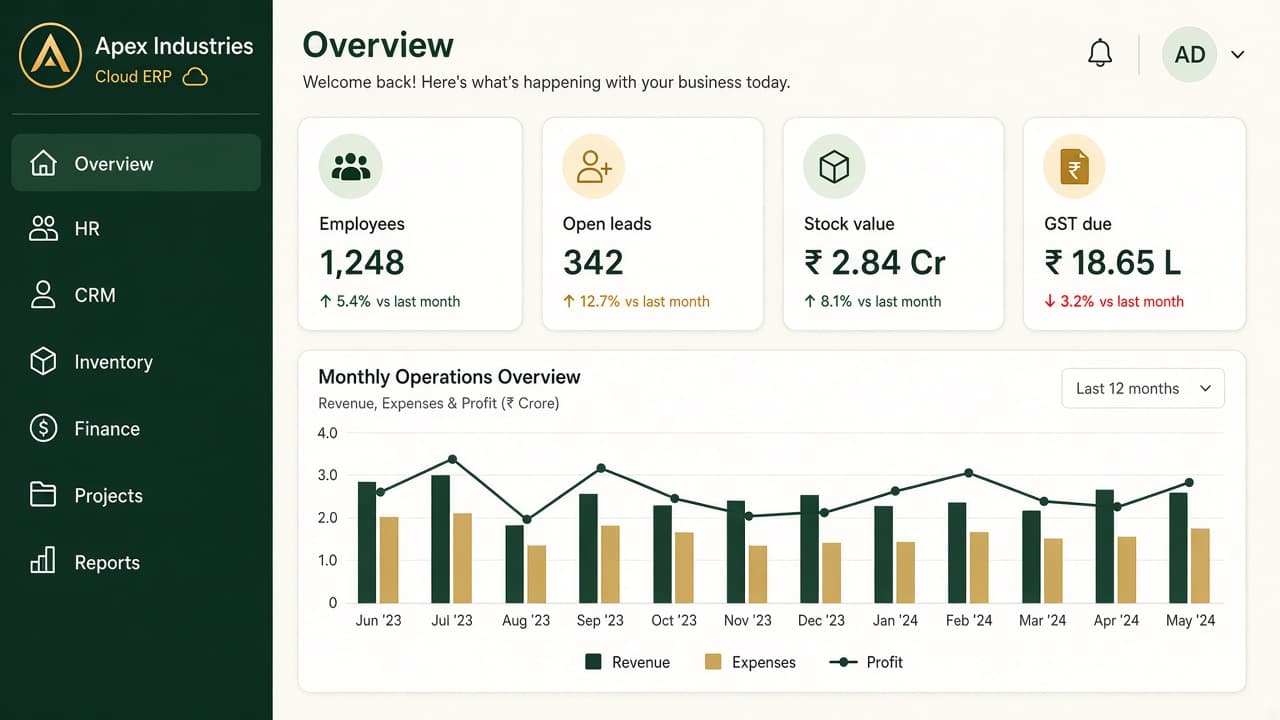
Learn how education and corporate teams use ZemERP — articles, case studies, documentation, FAQs and the user manual. The screenshot is the product after login — not the photo in the hero.
The dark green bar on the left is the sidebar. Menus on this overview include Dashboard, HR, CRM, Projects, Inventory, Finance and Reports. Each card below opens that product or industry with its own dashboard preview.
The white area on the right shows headcount, open tasks, pipeline and books on one office overview. That is the kind of overview you get after login instead of a weekly Excel rebuild.
Open any card to see that page’s screenshot and the features that belong to it.
- Blog
- Case Studies
- Documentation
- FAQs